
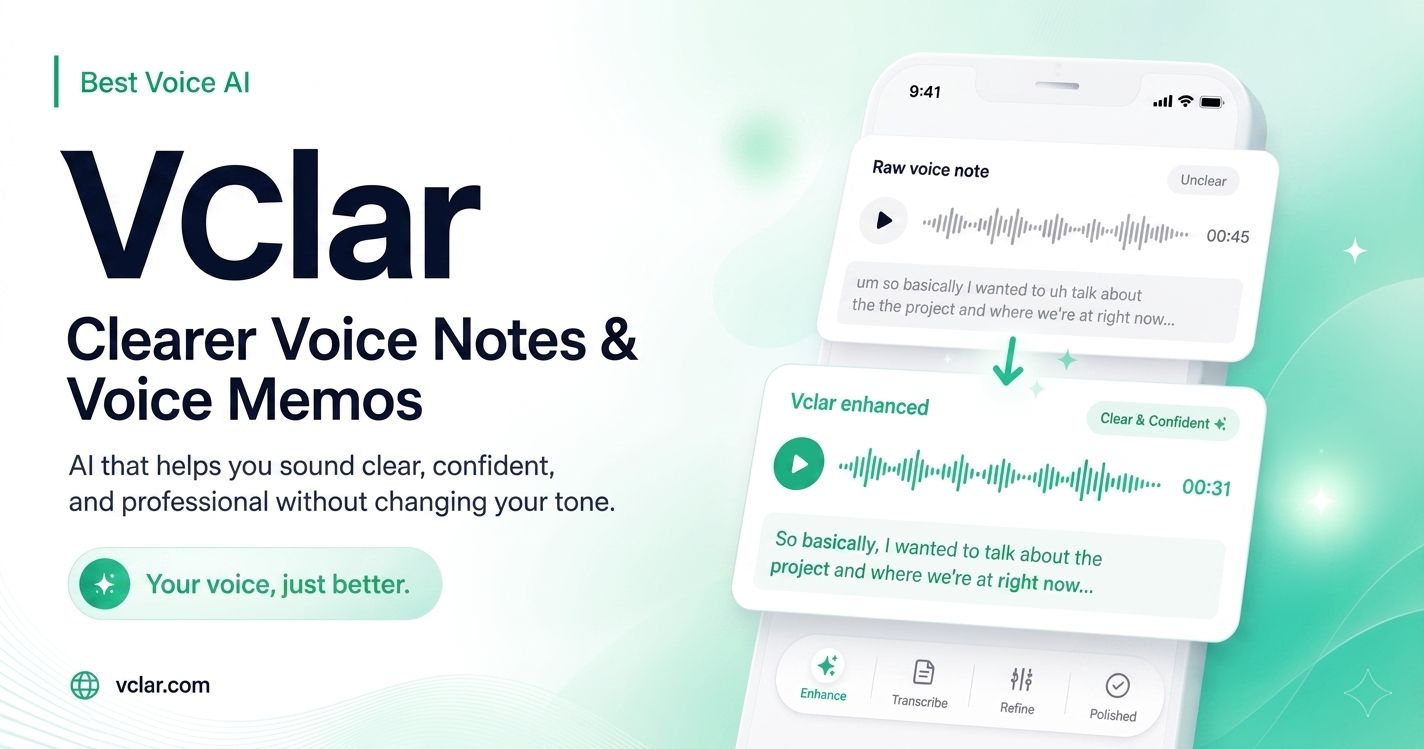
Voice notes are fast, personal, and easy to send. That is why founders, creators, sales teams, coaches, freelancers, and remote workers use them every day. A quick voice memo can replace a long email, speed up feedback, and make communication feel more human.
But speed has a cost.
Most voice notes are not perfectly structured. People pause mid-thought. They repeat themselves. They say “um,” “uh,” “like,” or “you know” while thinking. Background noise, echo, static, mouth clicks, long silences, and awkward phrasing can make a strong message feel less confident than it really is.
Vclar is built for that exact problem.
Vclar is a voice-first AI communication tool that helps users turn raw voice notes into clearer, more polished audio while keeping their natural tone, accent, and identity intact. The goal is not to replace the speaker. The goal is to make the message easier to understand without making it sound robotic or over-edited.
The product’s core promise is simple:
Your voice, just better.
A Voice Note Enhancer for People Who Think Faster Than They Type
Many professionals rely on voice because it is faster than writing. A founder can send a team update in seconds. A salesperson can record a follow-up after a call. A creator can capture a content idea before it disappears. A coach can send personal feedback without opening a document.
The problem is that quick speech often sounds unfinished.
Vclar helps bridge the gap between natural speaking and professional delivery. Users can speak the way they normally would, then use Vclar to refine the recording before sending it. The result is a voice note that sounds clearer, more confident, and easier for the listener to follow.
For people who use voice messages in serious conversations, that difference matters. A cleaner voice note can make a client update feel more prepared. A sales follow-up can sound more direct. A team message can become easier to act on. A creator’s idea can move from messy thought to usable draft much faster.
Cleaning Up the Parts That Get in the Way
Vclar includes a set of voice cleanup features designed for everyday audio problems. Instead of treating all recordings like studio podcasts, it focuses on practical voice-note issues that happen in real life.
The platform can help users:
- Remove filler words from voice notes and audio
- Clean up rambling speech
- Improve spoken grammar and phrasing
- Reduce background noise
- Reduce static and microphone buzz
- Minimize echo and room reverb
- Soften loud breathing sounds
- Remove mouth clicks
- Trim long pauses and silences
- Reduce wind noise in outdoor recordings
This makes Vclar useful as a filler words remover, voice note grammar checker, voice note enhancer, and AI speech corrector in one workflow.
The focus is not just on making audio sound cleaner. It is also about making the message land better. A voice note with fewer distractions is easier to understand, easier to trust, and easier to respond to.
- Grammar Correction for Spoken Audio
- Text grammar tools are built for typed paragraphs. Voice notes are different.
Spoken language has pauses, half-formed thoughts, repeated words, restarts, and casual phrasing. A sentence that feels natural while speaking can sound unclear when someone else listens back. That is why Vclar’s grammar correction is designed around voice-first communication.
The tool helps improve awkward phrasing, grammar mistakes, and unclear sentence structure while preserving the speaker’s original intent. Users do not need to rewrite the message manually or record it again. They can keep the speed of voice while improving the quality of the final output.
This is especially useful for non-native English speakers, global teams, founders, educators, and professionals who want their voice messages to sound more confident without losing personality.
Same Voice, Cleaner Delivery
One of Vclar’s most important ideas is voice preservation.
Many AI voice tools focus on generating new voices, cloning voices, or replacing a speaker’s sound. Vclar takes a different approach. It is designed to keep the speaker recognizable. The tone, accent, rhythm, and personality remain part of the final message.
That matters because voice is personal. A person’s accent, pacing, and delivery are part of how they communicate. If an AI tool makes everyone sound the same, it may create polished audio, but it also removes the human signal that made the message valuable in the first place.
Vclar is built around refinement, not replacement. The messy parts are cleaned up, but the person behind the message remains the same.
Learning While You Communicate
Vclar also helps users improve over time.
Instead of silently changing a voice note, the platform can show what was improved and why. This helps users understand their own communication patterns. They can see where filler words appear, where phrasing becomes unclear, and where grammar could be stronger.
Over time, this creates a feedback loop. Users are not only sending better voice notes. They are also learning how to speak more clearly in future recordings.
For founders, sales professionals, creators, educators, and remote teams, that learning layer can be valuable. Clear communication is not only a productivity skill. It is a trust-building skill.
Built for Multilingual Voice Notes
Vclar also supports multiple languages for grammar correction and transcription, including English, French, Japanese, Korean, German, Russian, Portuguese, Spanish, and Italian, with more languages expected over time.
This makes the platform useful for international teams and multilingual creators who communicate across different markets. A Spanish voice note, a Portuguese client update, or a French team message can all benefit from the same voice-first cleanup approach.
For global users, the value is simple: speak naturally in the language you use, then make the final message clearer before sending.
Free Tools for Voice and Content Workflows
Alongside its main voice AI platform, Vclar also offers free browser-based tools that support content planning and communication workflows.
These tools include:
- A Words to Time calculator
- A Speech Speed Test
- A Speaking Time Calculator
- A Title Case Converter
These tools help users estimate reading time, measure speaking pace, prepare scripts, and format titles before publishing or recording. They also support the broader goal of Vclar: helping people communicate with more clarity and confidence.
A Web-Based Workflow for Modern Voice Communication
Vclar runs directly in the browser, making it accessible from laptops and mobile devices without requiring complicated editing software. The workflow is designed to stay simple: record or upload a voice note, refine it, review the result, and send.
That simplicity is important. Most people do not want to become audio editors. They just want their message to sound better before it reaches a client, team member, student, buyer, or audience.
As voice messages become a bigger part of work, sales, education, and content creation, tools like Vclar are becoming more relevant. People want to move fast, but they also want to sound clear. They want to use AI, but they do not want to lose their identity.
Vclar sits in that middle ground.
It helps users keep the speed and personality of voice notes while improving the parts that can make a message harder to understand.
For anyone who relies on voice to communicate, Vclar offers a simple promise:
Speak naturally. Send clearly. Stay yourself.
